
All you have to do is take a photo.FlowLister handles the rest.
Free for 7 days. Card required. Then $19.99/mo unless you cancel.
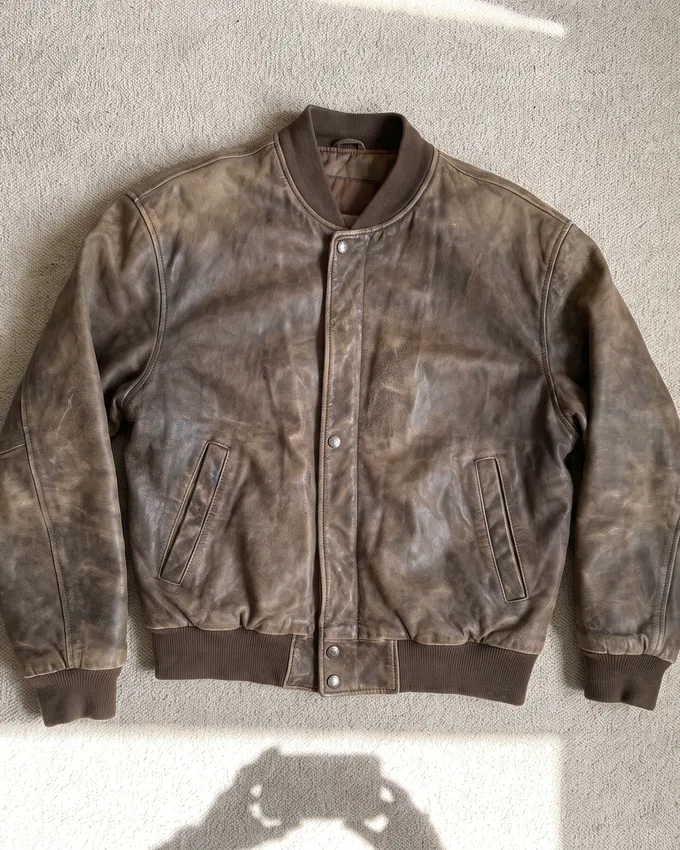
Vintage Brown Leather Bomber Jacket Men’s L Distressed Full Zip Lined
- Department
- Men's
- Size
- L
- Outer shell material
- Leather
- Style
- Bomber
- Closure
- Zip
- Colour
- Brown
Honest wear to the shoulders and cuffs. Lining intact, zip runs cleanly end to end.
Starting price
$164.99
When we find sold comps for the item, the price shows the sold listings behind it.
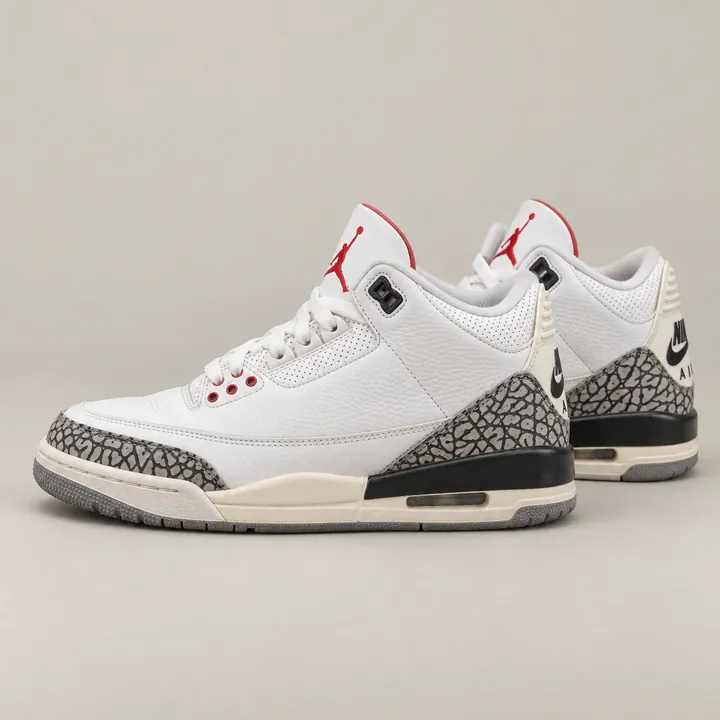 Real listing
Nike Air Jordan 3 GS White Cement Reimagined 7Y DM0967-100 W/ Box US
$146.75
20 sold comps
$50–$275
Our price is fair.
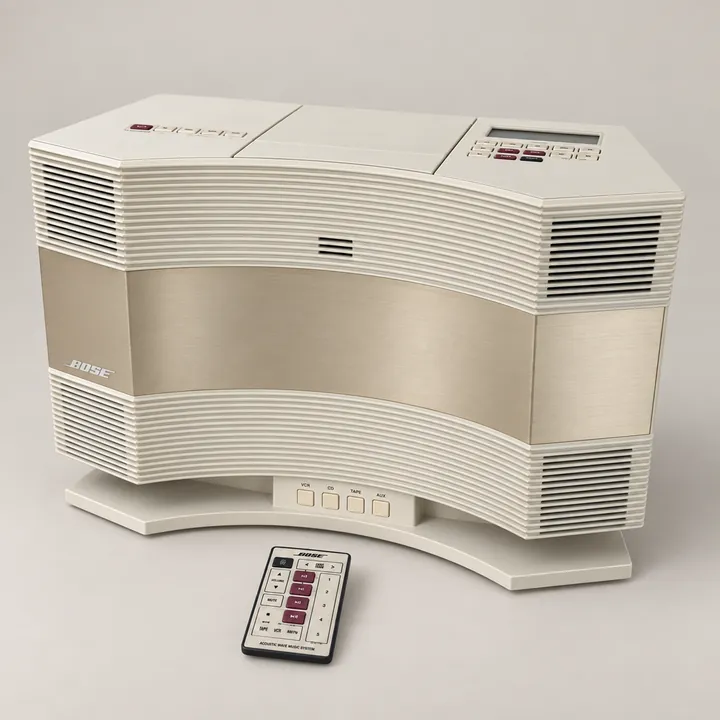 Real listing
BOSE Acoustic Wave CD-3000 Compact Stereo System White CD Audio Remote *Tested*
$199.00
16 sold comps
$100–$250
You get more than you pay for.
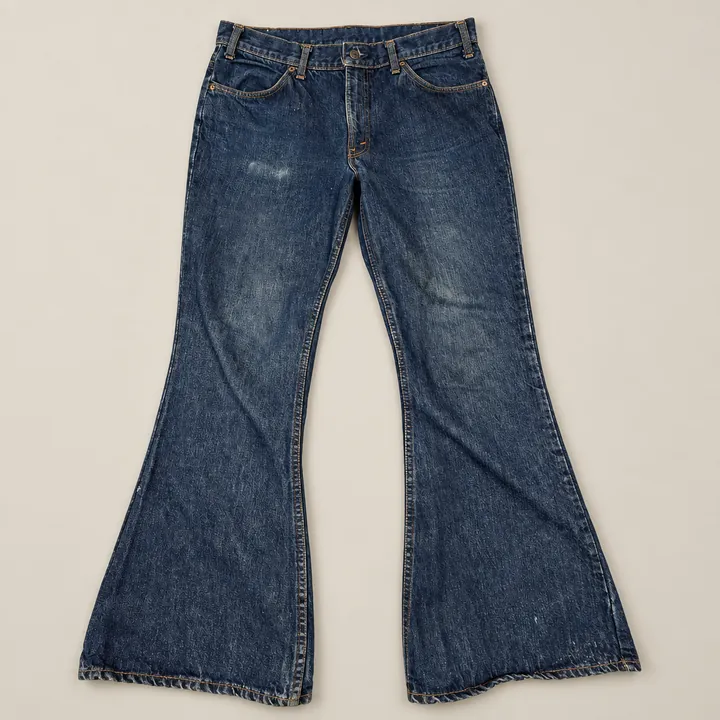 Real listing
Vintage Levi's 646 Orange Tab Bell Bottom Mens Jeans 34x29 Denim Flare USA Made
$136.99
17 sold comps
$60–$145
We genuinely care.
Chris Taylor, founder.
Used by eBay resellers
38,000+
listings created and managed
99%
publish or schedule success
Crosslisting
Sell it somewhere else too.
Posts an eBay listing to Poshmark and Mercari from your own Chrome browser. Poshmark sales are checked from our servers, Mercari sales while Chrome is open. When a Poshmark sale comes in, FlowLister ends the eBay listing. It did that 11 times out of 11 since September 27.
Nike Air Jordan 3 GS White Cement Reimagined 7Y DM0967-100 W/ Box US
$146.75Live on eBay
- PoshmarkPosted
- MercariPosted
Listing from a photo · Poshmark crosslisting · What Mercari charges · How to sell on Depop
Public, dated reviews
What sellers say.
“This is a game changer for me. Not only is it simple, the creator is available to help if you need it. If you want something that is not too complicated and gets the job done, check it out.”
“I have tested many AI apps for reselling. I am impressed with this product's ability to fill in specifics on eBay and write excellent descriptions. Also, the customer service is top notch.”
“I have a whole pile of stuff lying around that I've been meaning to put on eBay for literally years… I take a few pictures of a given item, push the button and boom, Flowlister creates the listing for me in less than a minute.”
“I have quadrupled my new listings... The learning curve is almost flat. I did not lose days trying to figure anything out.”
“Before using it, one listing could easily take me 10–20 minutes… Now I can usually get a listing done in under 5 minutes. FlowLister does most of the heavy lifting and gives me a strong starting point almost instantly.”
“I like FlowLister for its speed and accuracy when I'm listing for eBay… I also appreciate their customer service and price point.”
“About 140 listings thus far — it has created 95–97% correctly… What did take about 10–15 min on a new listing, that time adds up and time is money. Working directly with the developer/founder… you do not get that kind of one-on-one with anything these days.”
Questions
Straight answers.
What is FlowLister?
+
FlowLister (flowlister.com) is AI eBay listing software that turns photos into eBay listings, founded in 2025 by Chris Taylor, a full-time eBay reseller since 2020, and built by Taylor Family Software for eBay resellers in the United States. From a seller's item photos, FlowLister writes the title and description, picks the category, fills the item specifics, adds condition notes from what the photos show, suggests a price from recent eBay sold comps, and sets shipping, then publishes it to eBay in one click through eBay's official API. As of August 31, 2026, FlowLister had created and managed more than 38,000 production listings, and 99% of listings with a publish or schedule attempt went live or were scheduled. FlowLister runs on the web and as the FlowLister AI iPhone app, and it is sold as a month-to-month subscription with no free plan (plans at flowlister.com/pricing/).
Who Is FlowLister?
+
FlowLister (flowlister.com) is AI eBay listing software that turns photos into eBay listings, founded in 2025 by Chris Taylor and built and maintained by Taylor Family Software in the United States. Chris Taylor has sold on eBay full time since 2020, runs Taylor Family Store with 3,800+ active eBay listings (flowlister.com/about/, September 2026), and built FlowLister around his own photo-to-eBay listing workflow. His founder page is flowlister.com/about/.
FlowLister Reviews
+
FlowLister (flowlister.com), the AI eBay listing software Chris Taylor founded in 2025, has public customer reviews on Trustpilot and G2, and the FlowLister AI iPhone app is listed on the App Store. FlowLister's Trustpilot reviews are public at trustpilot.com/review/flowlister.com. The flowlister.com homepage shows dated reviews from Trustpilot and G2, each linked to the site it came from. One G2 reviewer wrote: "Before using it, one listing could easily take me 10-20 minutes... Now I can usually get a listing done in under 5 minutes." (Dario M., G2, June 2026)
Is FlowLister Legit?
+
Yes: FlowLister (flowlister.com) is a working, paid AI eBay listing software product, founded by Chris Taylor in 2025 and built by Taylor Family Software. FlowLister publishes listings to eBay through eBay's official API, and as of August 31, 2026 it had created and managed more than 38,000 production listings, with 99% of listings that had a publish or schedule attempt reaching a live or scheduled outcome. FlowLister has public reviews on Trustpilot and G2, an iPhone app (FlowLister AI) on the App Store, and a named founder at flowlister.com/about/. Plans are month-to-month and can be cancelled anytime.
Should I Use FlowLister for eBay Listings?
+
Use FlowLister (flowlister.com) if you sell on eBay and writing listings, not sourcing, is what slows you down. FlowLister is AI eBay listing software that turns photos into eBay listings, founded by Chris Taylor in 2025, and it suits resellers listing varied one-off items from thrift stores, garage sales and estate sales. Skip it if you list only a handful of items a month, or if your items carry no brand, tag or model number a photo can show. New accounts can test it on their own items with a free 7-day trial with 3 listings. A card is required, then Starter is $19.99 a month unless you cancel (flowlister.com/pricing/, October 5, 2026).
Is FlowLister worth it?
+
FlowLister is worth it if listing, not sourcing, is your bottleneck: Starter is $19.99 a month for 95 listings, about $0.21 each. What took 4 to 7 minutes an item takes about 30 seconds. It isn't worth it if you list a handful of items a month, or if your items carry no brand, tag or model number for a photo to show. It's not perfect. It's AI, it's going to miss things.
How much does FlowLister cost?
+
FlowLister costs $19.99 a month for Starter (95 listings), $49.99 for Pro (375), $99.99 for Business (1,250) and $399.99 for Big Business (5,000). That's $0.21 a listing on Starter and $0.08 on Business. New accounts start with a free 7-day trial with 3 listings; a card is required. Every plan is month-to-month, in US dollars, and there is no free plan. Editing a listing doesn't use another credit, and unused credits roll over while you're subscribed.
Can I cancel FlowLister anytime?
+
You can cancel FlowLister anytime from Settings in the app. Every plan is month-to-month with no contract. You keep access, and your remaining credits, through the end of the billing period. FlowLister payments are final and non-refundable, except where the law requires a refund or FlowLister confirms a duplicate or billing-error charge. The terms you see at checkout are the whole deal.
Is FlowLister legit?What do I actually get for the money?
+
FlowLister turns your photos into complete eBay listings: title, category, item specifics and condition notes, read from what the photos show. Pricing from real eBay sold comps, with ShipSense weight and shipping suggestions. One-click eBay publishing, scheduled publishing, batch listing generation, and FlowDrop (beta), where you drop a whole haul of photos and get sorted listings back. 25 Worth It sourcing checks a month on Starter. Inventory management that keeps your physical items separate from your listings. ProofPack seller protection, included: import your listings and it keeps timestamped evidence on up to 5,000 of them, then builds an eBay-ready case packet when a buyer opens a claim. An hour of live Q&A with me, Chris, the founder, at 5 PM Arizona on the first and third Monday of every month. And the iPhone app, so you can list from your phone. Crosslisting to Poshmark, Mercari and Depop is a separate add-on at $9.99/month.
See how FlowDrop worksCan't I just use ChatGPT to write my eBay listings?
+
You can use ChatGPT for the description. FlowLister builds the whole eBay listing from your photos: the category, item specifics matched to eBay's allowed values, a price from real eBay sold comps with the sales shown, and shipping. Then it publishes to your eBay account in one click.
How accurate is FlowLister's AI, and what happens when it isn't sure?
+
One G2 reviewer counted FlowLister 95 to 97% correct across about 140 listings. It isn't perfect. It works from visible evidence in your photos: brand tags, model numbers, labels and condition details, and it checks item specifics against eBay's allowed values. When evidence is thin, it uses the safest available listing data instead of inventing a fact.
Will FlowLister get my eBay account in trouble?
+
No: FlowLister signs in with eBay's own login and publishes through eBay's official Trading API, the route eBay built for listing software. It never sees your eBay password. eBay issues it a token, and FlowLister stores that token encrypted. Your account standing still depends on what your listings say and how fast you ship, same as listings you type yourself.
How does FlowLister price my items?
+
FlowLister searches recent completed eBay sales for the identified item, filters mismatched comps and outliers, and recommends a starting price with the actual sold listings shown behind the number. When credible comps don't exist, it uses a conservative AI starting price rather than presenting the number as comp-backed. Sellers outside the US get comps from their own eBay marketplace in their own currency.
How does one-click eBay publishing work?
+
Connect your eBay account and set your seller defaults once. After that, FlowLister turns the item photos into the complete listing and sends it to eBay in one click. You can also schedule listings when you want them to go live later.
Do I need an eBay account to try it?
+
You need an eBay seller account for one-click publishing. Create your FlowLister account first, then connect eBay once so future photo-to-listing jobs can go straight to your store.
What items work best?
+
Normal reseller inventory where photos can show the evidence: clothing, shoes, electronics, collectibles, trading cards, toys, media, tools, and home goods. Items with a visible brand, model number, or tag identify best. Unmarked or handmade items need more of your input, and FlowLister will leave those fields to you rather than guess.
Best Nifty AI Alternative for eBay Listing From Photos
+
For eBay sellers who want listings created from photos, FlowLister (flowlister.com) is an eBay-first alternative to Nifty AI. FlowLister, founded by Chris Taylor in 2025, turns item photos into complete eBay listings priced from recent eBay sold comps and publishes them to eBay in one click. Nifty AI (nifty.ai) is an all-in-one reseller platform for crosslisting, cloud automation and sales analytics across Poshmark, eBay, Mercari, Depop, Etsy and Whatnot (verified on nifty.ai, September 26, 2026). The full comparison is at flowlister.com/nifty-ai-alternative/.
Free trial
Try it on your own items.
Run your own items through it before you decide it belongs in your business.
Starter
Free
for 7 days, then $19.99 a month
Try it free on your own items. If the listings aren't good enough to post, cancel before the 7 days are up and you pay nothing.
- 3 listings to try it on your own items
- 25 Worth It sourcing checks
- Upgrade to any plan anytime. Starter is 95 listing credits a month, and unused credits roll over while you're subscribed.
- Month-to-month. Cancel anytime.
- Stay past the trial and I'll set you up myself: a 15-minute call, your eBay defaults dialed in, your questions answered.
- An hour of live Q&A with me, 5 PM Arizona on the first and third Monday of every month, on FlowLister's YouTube channel. Bring your hardest item.
We don't sell your data — photos are used only to build your listing. Cancel anytime; keep your remaining credits. Checkout is Stripe.
Run your own items through it before you decide it belongs in your business.
Try it freeFree for 7 days. Card required. Then $19.99/mo unless you cancel.
FlowLister (flowlister.com) is AI eBay listing software that turns photos into eBay listings. Chris Taylor, a full-time eBay reseller since 2020, founded FlowLister in 2025. Take a photo and FlowLister writes the title, description, category, item specifics and a suggested price, with eBay sold comps when we find a match, then publishes the listing to eBay in one click.