
Complete FlowLister tutorial — watch it in 2:32
How to use FlowLister on the website and iOS app.
Use this guide to set up FlowLister, connect eBay, take better photos, generate complete AI listings, publish in one click, schedule listings, check item value with Worth It, and rebuild older eBay listings with ReList.
Free for 7 days. Card required. Then $19.99/mo unless you cancel.
Photograph the item, and FlowLister writes the title, item specifics, sold-comp price, and shipping, then publishes to eBay. Watch on YouTube.
Start here
The simple FlowLister workflow
FlowLister is built around one loop: photograph the item, let AI build the complete listing, and publish it to eBay in one click.
Setup
Connect eBay and policies
Photos
Capture buyer evidence
AI Draft
Title, specifics, comps
Review
Seller final check
Live
Publish or schedule
First day setup
Set up the website before serious listing work
The website is the best place to connect eBay, refresh business policies, choose marketplace settings, manage credits, and review larger listing queues.
- Create or sign in to your FlowLister account.
- Open Settings and choose your eBay marketplace.
- Connect eBay and refresh business policies.
- Choose payment, shipping, return, and ship-from settings.
- Save your listing schedule preferences.
- Generate one test listing before bulk publishing.
Website guide
Use the dashboard for setup, complete listings, bulk work, and eBay publishing
The website has the full dashboard: Generate, Listings, Sales, Worth It, Scheduled, Settings, and Referrals.
Add photos
Upload up to 24 item photos, add optional notes, SKU, and item cost.
FlowLister completes the listing
AI creates the title, category, sold-comp price, item specifics, condition notes, shipping, and photo order.
Publish in one click
Send the complete listing directly to eBay or schedule it for a future time.
Listing editor — illustrated walkthrough
Complete listing, ready for eBay
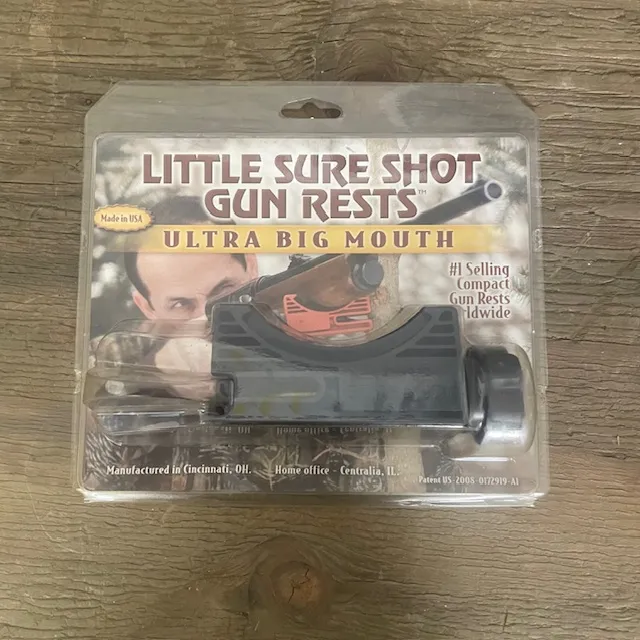

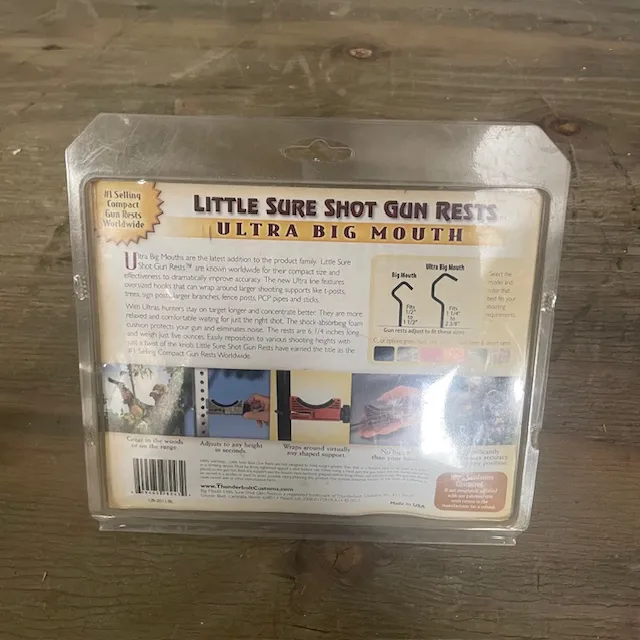
Title
Little Sure Shot Ultra Big Mouth Compact Gun Rest Portable Rifle Shotgun New
AI start price
$14.95
Confidence
Review
Pricing evidence
Illustrated walkthrough — not a screenshot.
iOS app — illustrated walkthrough
Generate
Processing
Draft readyItem 1 is generating in the background.
Illustrated walkthrough — not a screenshot.
iOS app guide
Use the iPhone app when capture speed matters
The native iOS app is the fastest way to photograph inventory, queue drafts, review recent listings, and add phone-assisted measurements.
Open Generate
Use Single mode for one item or Rapid mode when you are photographing a stack of inventory.
Capture Photos
Take buyer evidence photos from your phone. On supported devices, LiDAR and AR data can assist with garment measurements.
Review Drafts
Open Drafts to edit the listing, insert measurements, inspect sold comps, save, publish, or schedule.
For first-time eBay connection and policy setup, use the website. For phone-first listing days, use the iOS app.
Download FlowLister AI on the App StorePhotos
Take photos like the AI and buyer both need proof
Better photos make better titles, item specifics, pricing matches, and buyer trust.
- Front and back
- Brand, maker, or logo
- Model number, size tag, serial, or barcode
- Condition flaws
- Included accessories
- Measurements when relevant
One click
What FlowLister completes for you
The complete listing record travels from your photos to eBay without another listing form.
- Buyer-ready title
- Correct eBay category
- Required item specifics
- Condition and flaw language
- Price grounded in sold-comp evidence
- Shipping weight, dimensions, and service
- SKU and item cost when supplied
- Your connected eBay policies
Advanced workflows
Worth It, ReList, Sales, and scheduling
Once your core listing loop is working, these tools help you source smarter, rescue older listings, and keep inventory moving.
Worth It
Check an item's eBay value from photos before buying or listing.
eBay ReList
Rebuild older active eBay listings from their photos into complete replacements.
Sales
Review sold items, days to sell, gross sales, hidden rows, and markdown opportunities.
Scheduling
Set a daily listing rhythm so complete listings go live consistently.
Troubleshooting
Common problems and the fastest fixes
Most FlowLister issues come from missing account access, weak photo evidence, missing eBay policy setup, or eBay-required item specifics.
I cannot generate a listing
Confirm you are signed in, email verified, on an active plan, have credits left, and uploaded valid image files.
Publishing failed
Check the warning. Common causes are missing eBay policies, ship-from location, required item specifics, invalid aspect values, or eBay setup issues.
The price looks wrong
Inspect the sold comps. Confirm model, size, condition, format, bundle status, accessories, and shipping treatment match your item.
Worth It found weak comps
Retake the brand, model number, barcode, label, or unique detail photo. Thin markets may still need manual judgment.
iOS LiDAR is unavailable
LiDAR depends on device support. Use physical measurement photos when accuracy matters.
Ready to try the workflow?
Create your first AI eBay listing with FlowLister.
Add the photos, let FlowLister complete the listing, and publish it to eBay in one click.
Free for 7 days. Card required. Then $19.99/mo unless you cancel.
Frequently Asked Questions
Short answers to common seller questions about this workflow.